New — SetCrate now available on macOS
Your sessions deserve better than a folder of "final_v2_REAL.als"
SetCrate scans your Ableton library, reads your .als files to extract BPM, key, and plugins, catches missing samples before you open the DAW — and syncs everything to your phone.
Built for producers
Designed around how music makers actually work — projects, sessions, bounces, and the creative chaos in between.
Automatic metadata
Reads your .als files to extract BPM, key, plugins, and sample paths. No manual tagging required.
Fast and local
Your library stays on your machine. SQLite-powered search that's instant, private, and works offline.
Sound familiar?
Every producer knows these problems. SetCrate was built to solve them.
Lost in folders
You've got 47 folders named "beats," 3 versions of the same track, and no idea which one had that synth patch you loved.
No context
You open a .als file from 3 months ago and have zero memory of what you were going for, what's done, or what needs fixing.
Broken sessions, no warning
You double-click a project and Ableton opens to a sea of missing samples and red plugin slots. You had no idea until it was too late.
Ideas slip away
You had a breakthrough at 2am, didn't write it down, and now you're staring at the session trying to remember what you planned to do next.
ORGANIZE
One home for every session.
Group your Live Sets into projects. Tag them by genre, mood, stage, client — whatever makes sense to you. Filter and find any session in seconds, not minutes.
1.0 Organize →
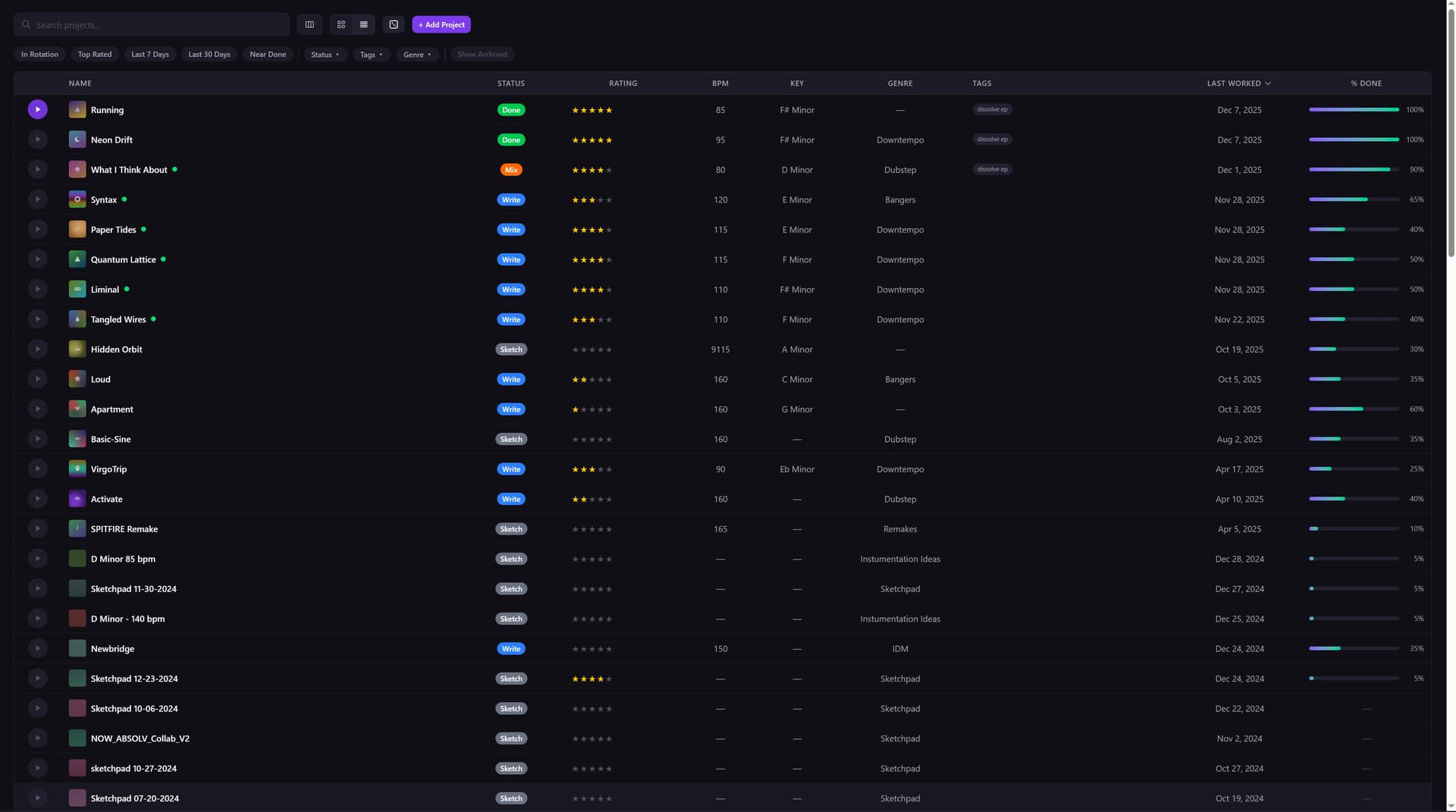
1.1 Tags
1.2 Collections
1.3 Smart Filters
1.4 Search
TRACK
Know exactly where every session stands.
SetCrate manages all the .als files in your project, tracks your work sessions, and keeps a full history of your bounces. No more guessing which file is current or when you last worked on a track.
2.0 Track →
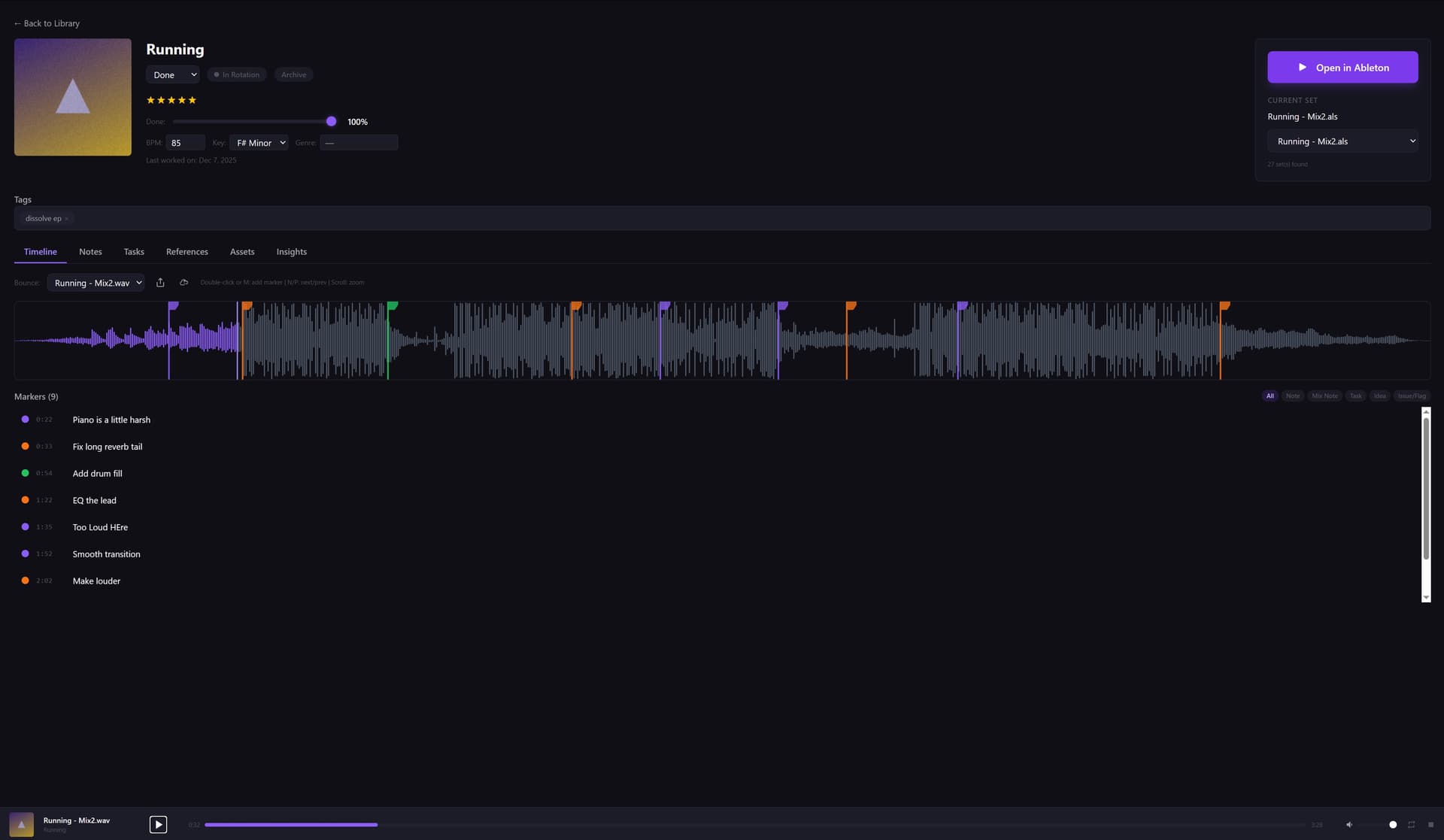
2.1 Sessions
2.2 Bounces
2.3 Version History
2.4 Status
EXTRACT
Know what’s inside before you open it.
SetCrate reads your .als files to pull out BPM, key, and every plugin you used — all searchable from your library. It also checks every sample path against your file system, so you’ll know about missing files before you open the DAW. No surprises.
3.0 Extract →
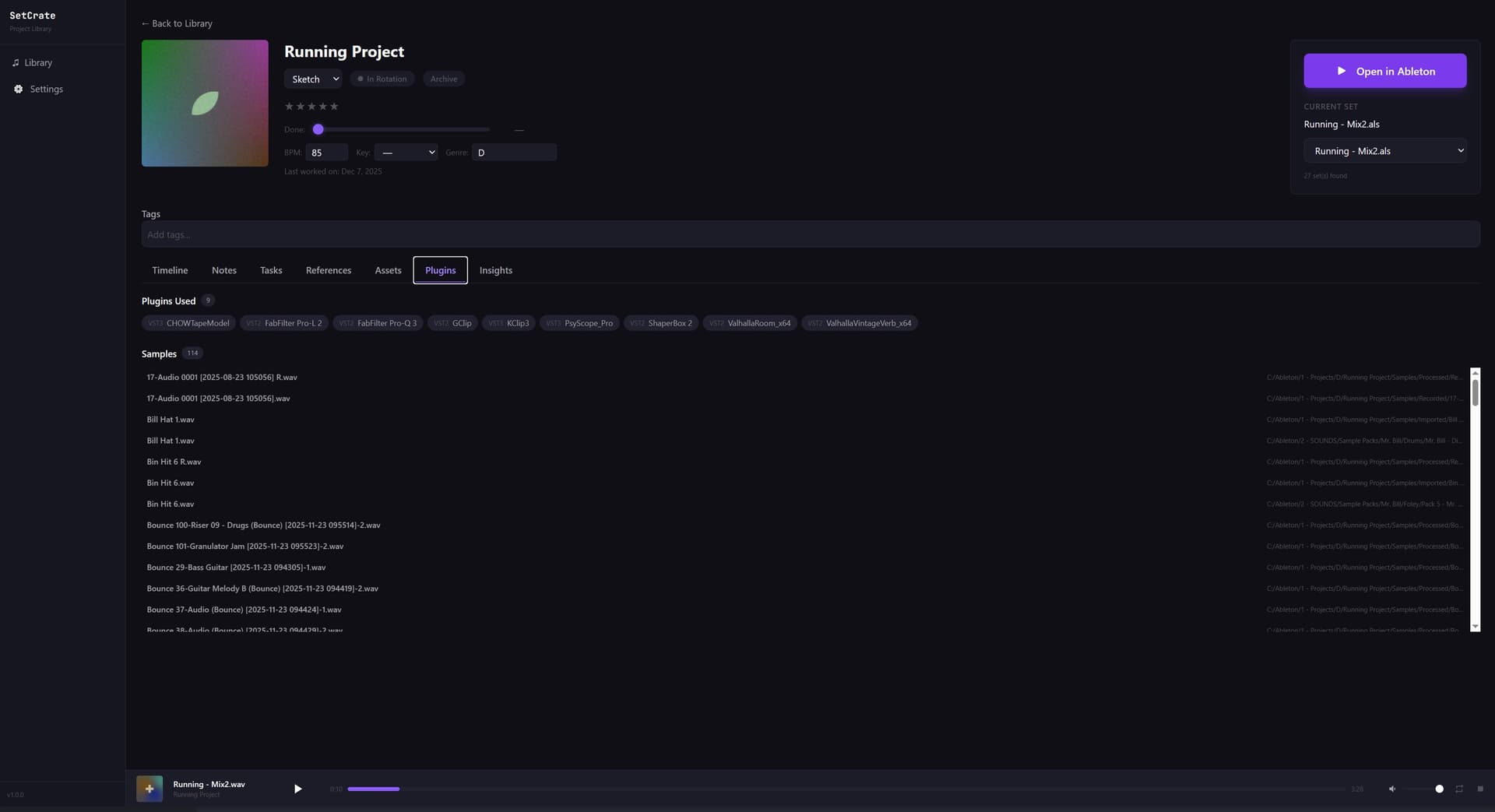
Reads Ableton Live 10, 11, and 12 project files.
3.1 BPM & Key
3.2 Plugins
3.3 Missing Samples
3.4 File Formats
LAUNCH
One click back into the DAW.
Found what you're looking for? Open any project directly in Ableton Live from SetCrate. No digging through folders, no hunting for the right .als file — just click and create.
4.0 Launch →
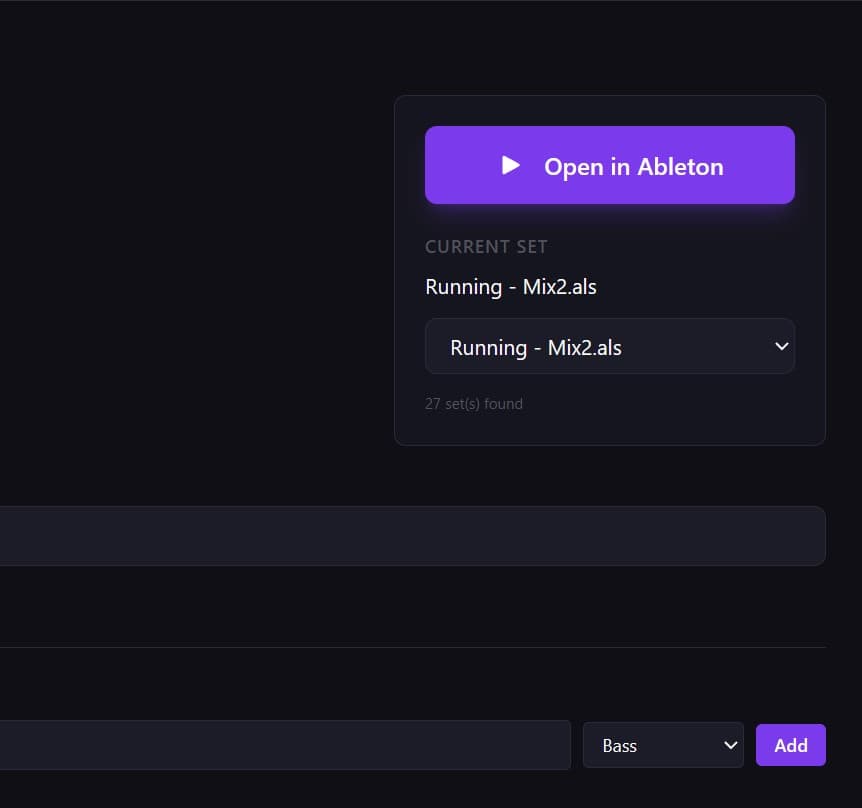
4.1 Quick Open
4.2 Recent Sessions
4.3 Project Search
4.4 Direct to DAW
CAPTURE
Capture what the DAW can't.
Attach notes to any session — what you were going for, what needs work, which plugins to try next. Snap photos of your hardware setup, mic placement, or that napkin sketch of your arrangement. It's all right there when you come back.
5.0 Capture →
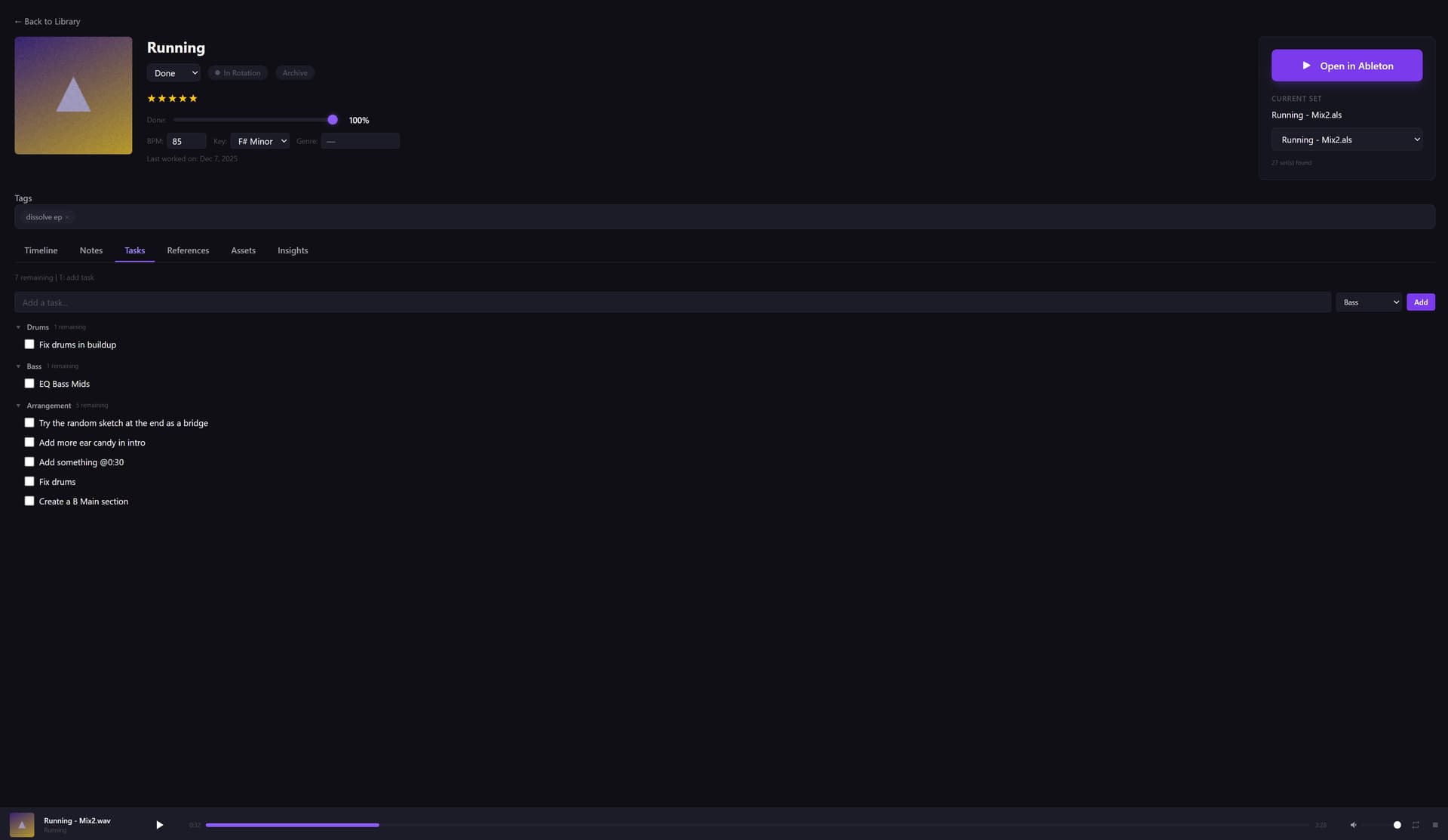
5.1 Session Notes
5.2 Mood Board
5.3 References
5.4 Photos
SYNC
Your studio in your pocket.
The only Ableton project manager with a mobile companion app. Sync your full library — projects, metadata, bounces, notes — to your Android phone. Browse your library on the couch, listen to your latest bounces, and walk into your next session already knowing what you’re working on.
6.0 Sync →
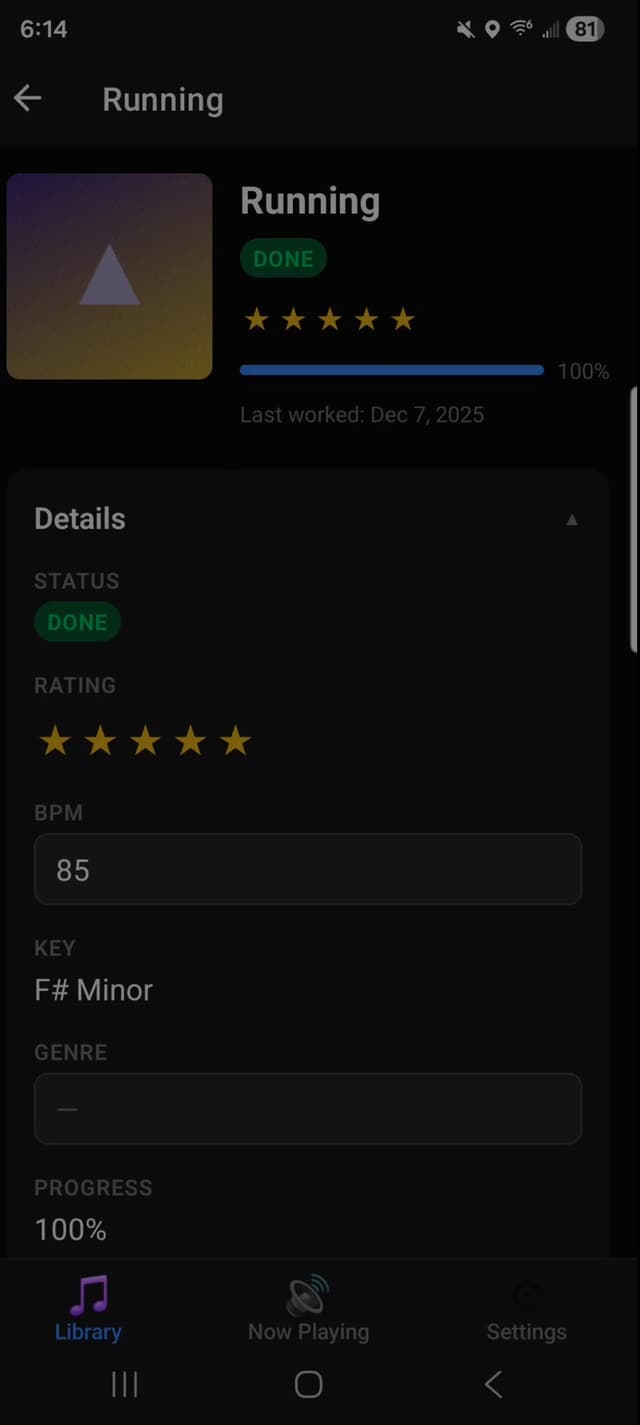
Android App
Your full project library synced to your phone. Browse sessions, read notes, and prep for your next studio day.
Offline Access
Everything is cached locally. No Wi-Fi needed once synced.
Bounce Playback
Listen to your latest bounces anywhere — on the train, on the couch, wherever ideas hit.
Push Notifications
Get notified when sync completes or when new bounces are ready to review.
Included free during your 14-day trial. $3.99/mo or $34.99/yr after.
Stop surviving. Start organizing.
Without SetCrate
With SetCrate
Simple pricing. No subscriptions required.
SetCrate Desktop
- Organize unlimited projects and sessions
- Reads .als files — auto-extracts BPM, key, and plugins
- Missing sample detection before you open Ableton
- Search your library by plugin name
- Session tracking and bounce history
- Notes, photos, and session logs
- Activate on up to 3 computers
- Free updates
No credit card required for trial
Mobile Sync Add-On
- Sync projects to your phone
- Access notes and session logs anywhere
- Capture ideas on the go
- Requires SetCrate Desktop
Try it during your 14-day trial, decide later
Where we're headed
Now
Windows & macOS desktop + Android mobile sync
Next
iOS mobile sync
Later
Collaboration features, Ableton Link integration
Frequently Asked Questions
Ready to take control of your sessions?
14 days free. No credit card. No commitment.
Windows & macOS · Made by a producer, for producers.